When we started working on Cadel, we weren't trying to build a platform. We wanted software accountants would trust, so we listened to customers and sat next to their accountants, watching how the work actually gets done. One pattern kept showing up, and it shaped what we ended up building.
What a day of accounting is made of
Spend a day beside an accounts payable clerk and the same operations keep coming back. The clerk works out what a document is. They pull the numbers off it. They tie the supplier name to the vendor master and each line to the right account. They check the math. When something does not agree, they flag it for someone senior. And when everything checks out, they post the invoice to the ERP.
Sit with a different team and the same operations come back with different material. A revenue accountant classifies the promises in a contract. A close analyst reconciles the subledger to the general ledger. A controller validates journal entries against approval thresholds. An FP&A analyst explains the variance between forecast and actuals.
The hard part is the judgment underneath. A seasoned accountant knows when a near-match is the same item and when it's a coincidence. They know which exceptions are worth stopping the close for and which ones can wait until Monday. They know when a total foots and is still wrong. Nobody teaches that in training. You pick it up over years, one odd invoice at a time.
Primitives, not features
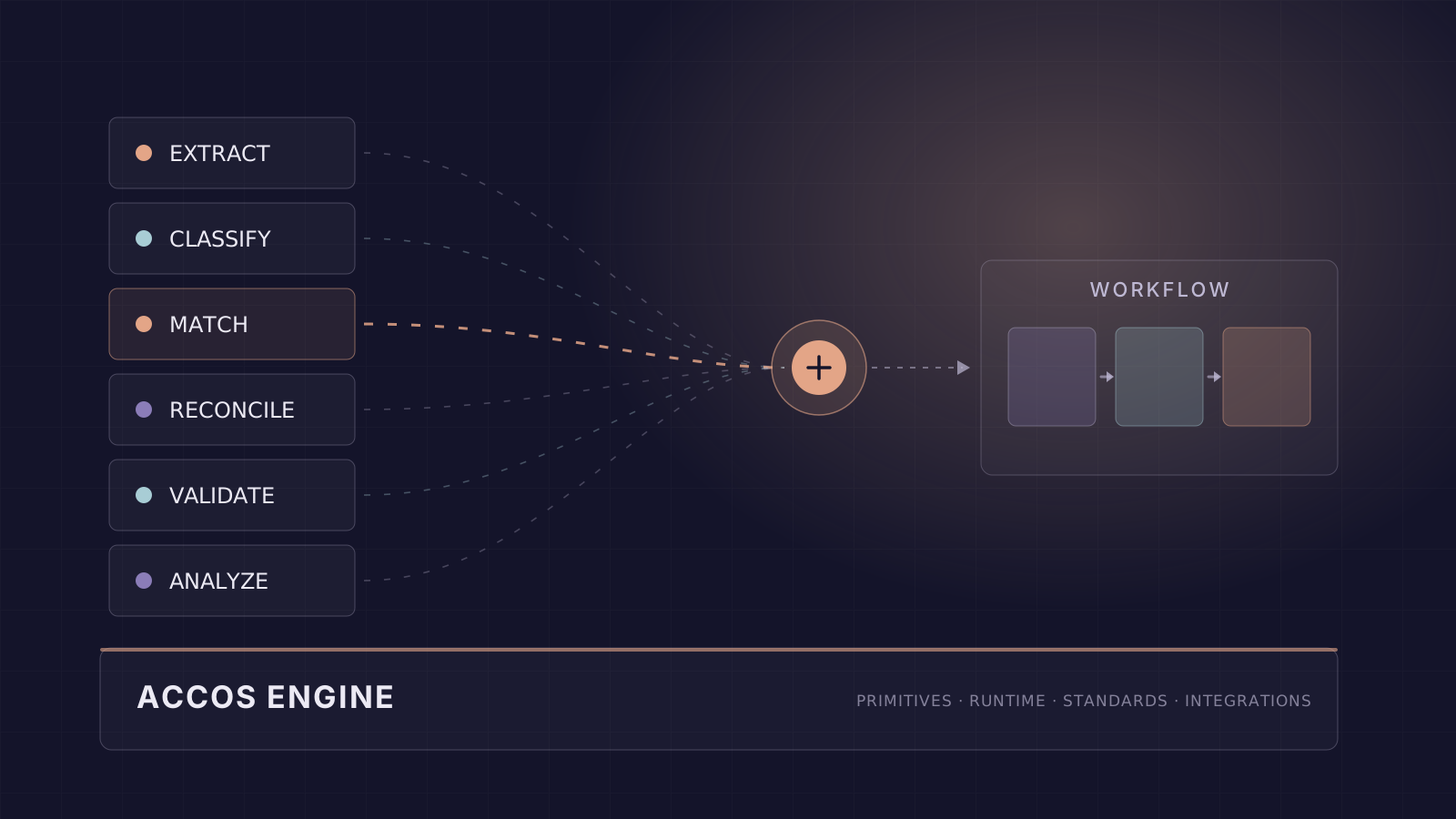
We started with the part we could see. Instead of building an invoice product, then a lease product, then a bank-reconciliation product, we built the recurring operations once, as reusable agentic primitives. Every workflow draws on the same six primitives.
Classify is the one that makes the pattern obvious. It's tempting to read it as document sorting: deciding whether a page is an invoice or a receipt. That's one use. The same primitive codes an invoice line against the chart of accounts, resolves a supplier name against the vendor master, and sorts a reconciliation break into timing versus error. When we made it better at coding accounts, every workflow that codes accounts improved. We didn't touch any of them.
A workflow is those operations, in order
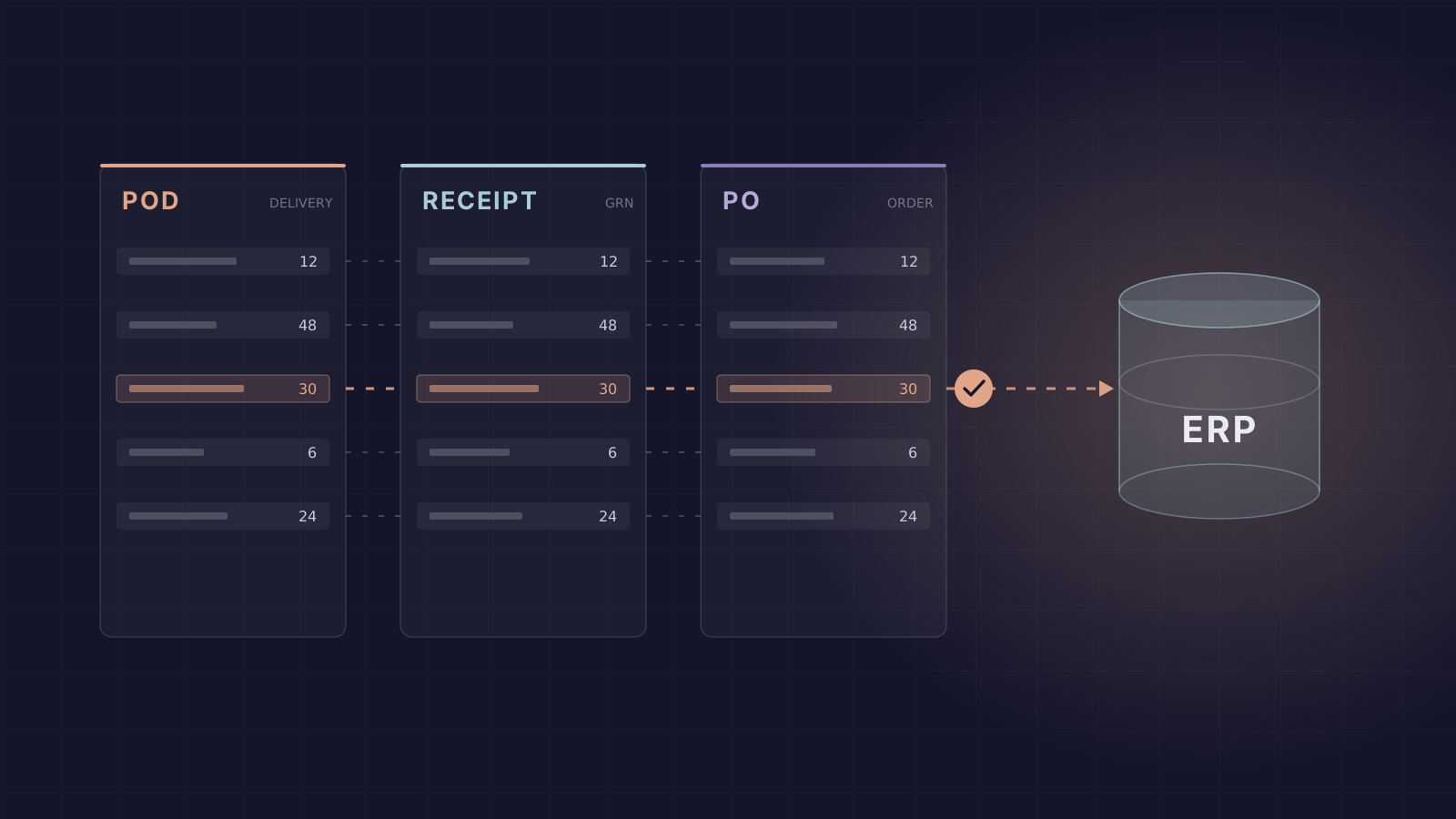
A workflow is a sequence of these operations, with a person brought in on the cases it cannot resolve cleanly. Take proof-of-delivery processing, one of the first we built with a customer. A single delivery arrives as three documents that should tell the same story: a scanned proof of delivery, the item received note recording what the warehouse actually received, and the purchase order it was bought against. The workflow works out what each document is, reads all three, lines up each proof-of-delivery line with its counterpart on the item received note and the purchase order, and checks the quantities and prices against the order. Every break it finds is sorted by cause. The lines that do not agree go to a person, and once the exceptions are resolved, it writes an invoice the ERP will accept.
Proof-of-delivery processing, assembled from shared primitives. Classify appears twice, pointed at different things: first the document, then the break. A person signs off on what does not agree.
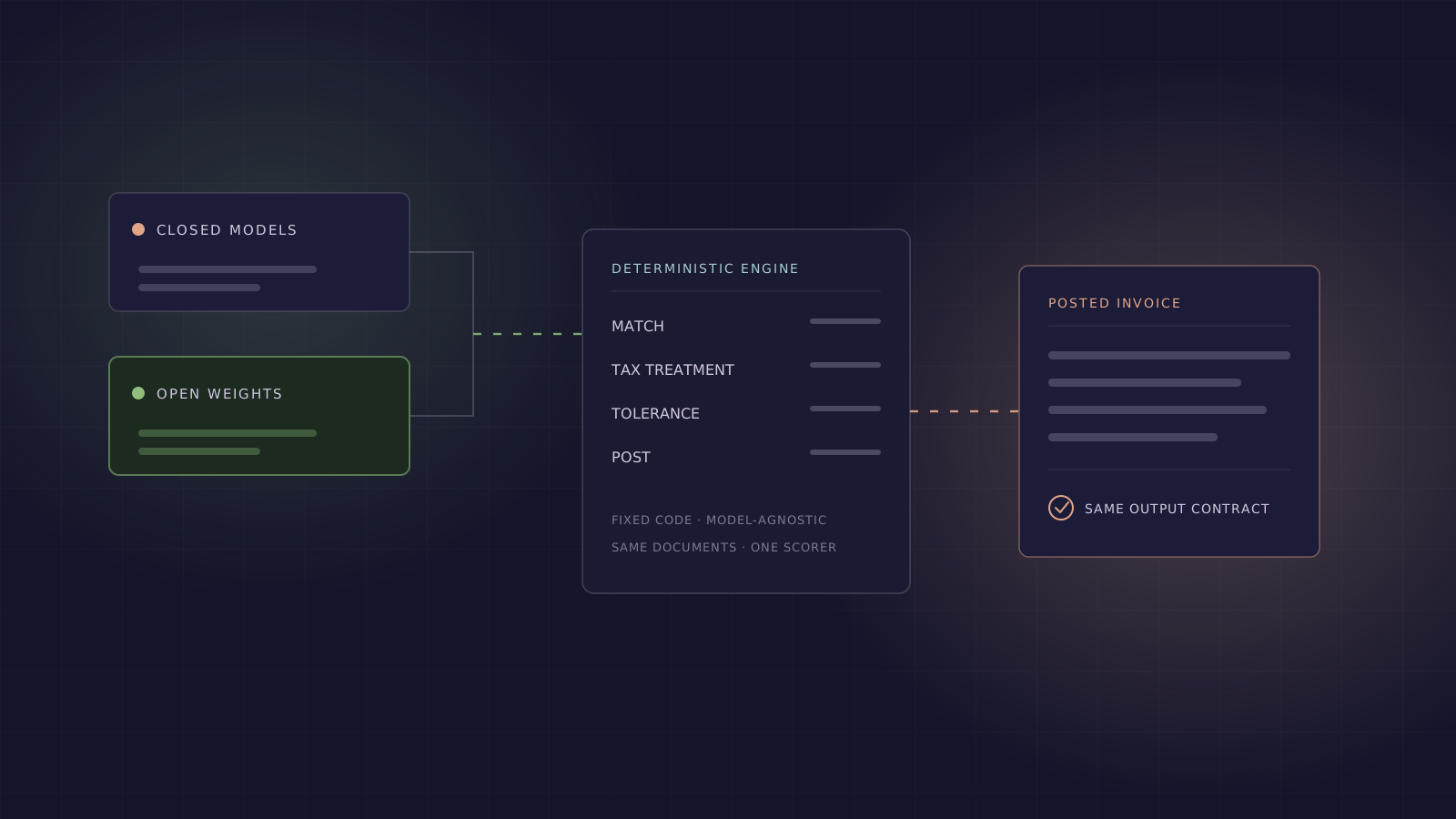
We give each step the tool that fits it. We send the scanned proof of delivery to our vision pipeline. It pairs efficient OCR with deeper reasoning to read even low-quality scans accurately. We'll write more about how that pipeline works soon. The item received note and the purchase order arrive as structured files, a CSV and a spreadsheet, so plain code reads them. The steps that call for judgment get a model too: matching a proof-of-delivery line to its order line when the two differ by a word or an abbreviation, and sorting each break by its cause. Each is one focused call, with the likely answers already shortlisted. The arithmetic in between, snapping a noisy scanned price back to the order and recomputing the tax, runs in plain code and gives the same answer every time. A model never decides a number that lands on the invoice.
A single general agent could do all of this in one loop, and it would be simpler to build that way. But there's no step to check and nowhere clean to put a control. The test is worth applying to any automation that touches your ledger: when it gets a number wrong, can you point at the step that failed? If not, you don't have a control. You have an answer you're taking on faith.
Some workflows are products we ship, like our accounts payable automation. Others we build for one customer, to match a process only that customer runs. Either way, the engine underneath treats every step the same. Before it moves from one step to the next, it checks that the step produced what it was supposed to. Every number ties back to the row or document it came from, and what a machine computed stays separate from what a person judged. That's why the result is a workpaper an auditor can follow.
The engine underneath: Accos
For these operations to be shared, they need somewhere to live. We call that layer Accos, our Accounting Operating System, and the name is meant literally. An operating system does the hard common work so applications do not have to; no program writes its own filesystem or scheduler. Accounting software grew up the other way. Every product rebuilt extraction, matching and reconciliation inside itself, which is why a finance stack is a shelf of applications that cannot share what they know.
Accos holds the primitives, the runtime that walks a workflow step by step, the accounting standards, and the connectors to the systems the data flows to and from.
Every workflow runs on the same engine.
The six agentic primitives, built once and shared by every workflow.
Our Forward Deployed Accountants sit with a customer to understand the business goals and how the process runs today, work out the specific controls and steps it reduces to, and compose those into a Cadel Workflow on the Accos engine.
The engine carries the rest. Accounting standards are set per engagement, from ASC 606 and ASC 842 to IFRS and Ind AS. Connectors reach ERPs like SAP, Oracle NetSuite and Microsoft Dynamics, along with banks and tax portals. Tenancy and access control belong to the engine, not to each workflow. Our Cadel Workflows for accounts payable, receivables, close and treasury all run on top of it.
Judgment is what compounds
At each enterprise we start with one workflow, usually the one that hurts most. The second workflow goes live in a fraction of that time, because the engine already knows the business. The systems are connected, the vendor and account masters are loaded, and it has seen the documents before. And when we build a control into the engine once, every workflow the enterprise runs inherits it.
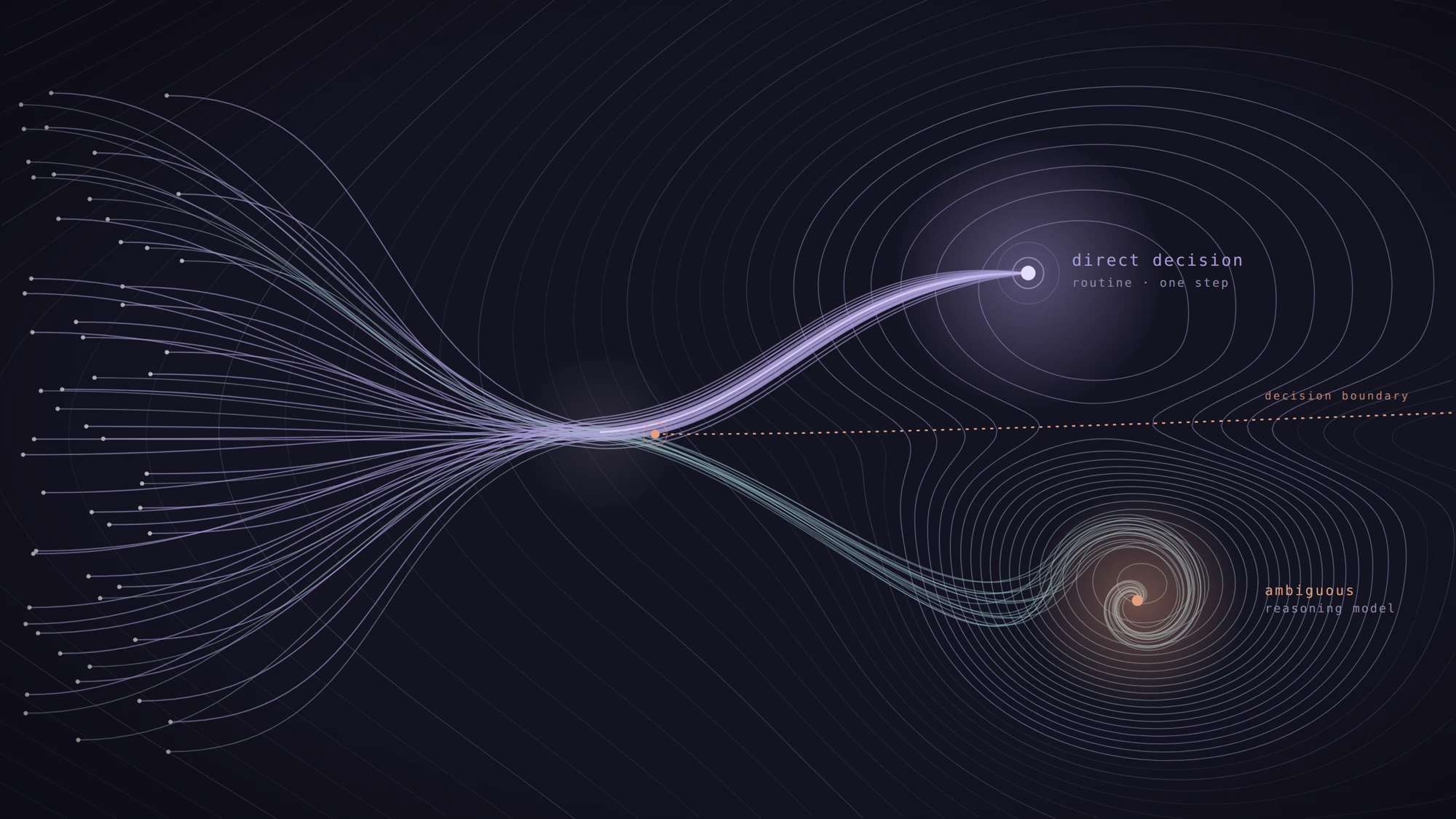
The same compounding is starting to reach judgment, which is the harder part. Accos already decides the clear cases and moves on. When a case isn't clear, it doesn't guess. It raises an exception and hands the case to a person. That could be a near-match it is not sure about, a break it cannot explain, or a number that doesn't sit right.
The line between what Accos decides and what a person decides is the whole game, and it keeps moving. Every exception a person resolves leaves a record behind: which near-matches were real, which breaks were timing, which vendors round their invoices, which variances this business treats as normal. That judgment carries across the enterprise's workflows. What accounts payable learned about a supplier is already there when vendor statement reconciliation meets the same supplier. Over time Accos makes more of the calls itself, and fewer routine cases reach a person.
None of this came from a single model. We took the work apart into operations small enough to reason about. We kept an experienced person on the hard calls that move real money. And we let what the engine learns compound. That is what it means to run accounting on an operating system.